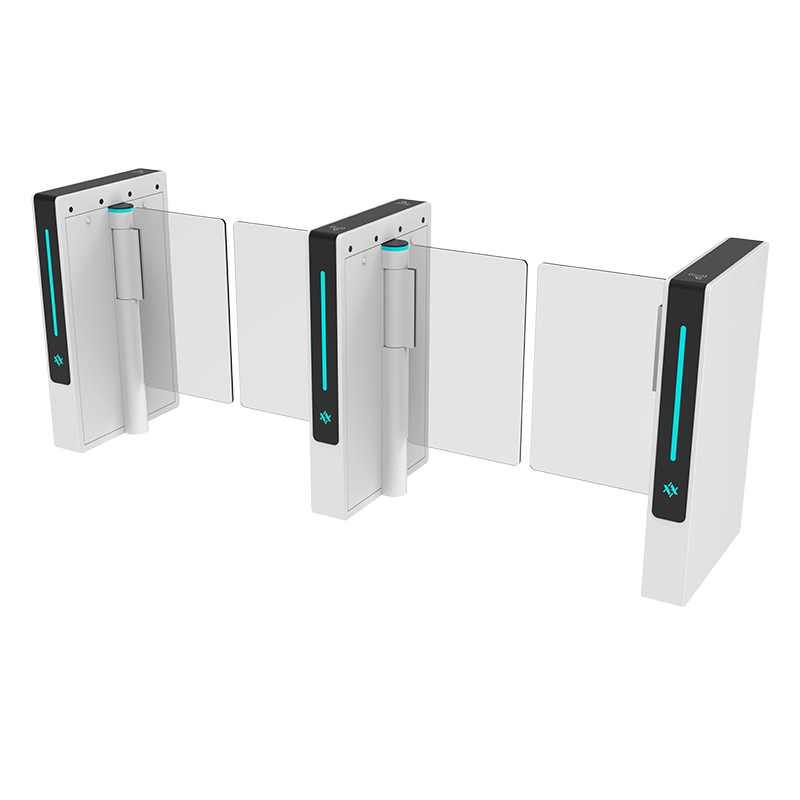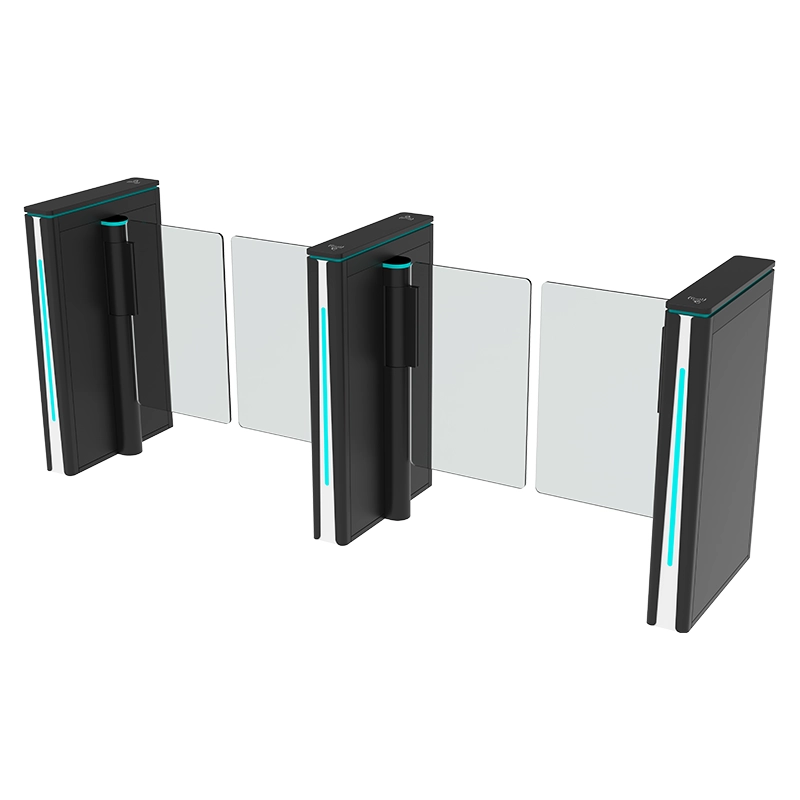

Speed gate problems rarely appear out of nowhere. In almost every case the gate is reporting a real condition — a blocked beam, a dropped input, a stalled drive, a corrupted position reference — and the job is to read that condition correctly instead of replacing parts at random. This guide is written at field-service level for facility managers, installers and access control technicians who need to find out why a turnstile is not working, decide whether it is a wear part or a genuine fault, and escalate with the right evidence when the fix is beyond site capability.
The symptoms covered here are the ones that generate the majority of callouts on motorized pedestrian lanes using glass or acrylic panels, infrared sensor arrays and RFID, QR code, fingerprint or facial recognition readers. If you are still at the specification stage and want the underlying architecture first, start with how a turnstile works and the main types of turnstile mechanisms. If your problem is that the lane was wrong for the traffic pattern in the first place, that is a selection issue rather than a fault, and it belongs in the speed gate manufacturer selection guide.
Two rules apply before anything else below. First, take the lane out of public service, physically redirect pedestrians, and only then begin testing. Second, treat safety functions — anti-pinch, anti-tailgating, fire alarm release, emergency egress — as untouchable. If someone proposes disabling a sensor or an emergency input to “keep the lane running,” that proposal is the fault. A speed gate with a bypassed safety loop is not a repaired gate; it is a liability with a warranty problem attached.
Speed Gate Problems: Symptom-to-Fix Table

This is the working table. Read down the symptom column, match what you can actually see and hear, and work the diagnostic step before you touch the fix column. In a multi-lane installation, run every check on the failed lane and then run the same check on a healthy lane of the same model — the difference between the two is usually the answer.
| Symptom | Likely cause | Diagnostic step | Fix |
|---|---|---|---|
| Gate does not open after a valid credential | Wrong lane mode, a sensor zone still occupied, a held open/close input, or a drive fault that rejected the command | Pull the access event log and the controller status at the same timestamp: was the credential granted, and did the controller receive an open request? | Correct the lane mode or clear the obstructed zone; if the open request is present at the controller but the drive never energizes, escalate as a controller or drive input fault |
| Both lanes stuck open (fail-open with no alarm) | Fire alarm input still latched after a test, free-passage mode selected, dry contact stuck closed, or a power brown-out that left the input in its active state | Measure the fire interface terminals at the gate and compare the state with the fire panel’s reported state | Reset the fire panel and confirm the contact opens; restore normal mode; if the input remains active with the panel clear, the interface wiring or the input circuit needs service |
| Arms or panels slam shut | Deceleration parameter lost or set to zero, encoder feedback lost, brake releasing late, or a panel that has drifted out of its closed reference | Compare closing motion on the failed side with the healthy side of the same lane, and check whether the controller reports an encoder or position fault | Do not increase torque to mask the symptom; re-run the panel position initialization and restore the drive profile, then replace the encoder if feedback does not return |
| Phantom alarms with an empty lane | Contaminated sensor windows, reflective floor or wall in the beam path, sunlight or LED glare into a receiver, drifted alignment, or a detection threshold set too high | Watch the sensor status indicators in the controller diagnostic view while the lane is empty to identify which specific zone is reporting occupied | Clean accessible windows, remove reflective objects and direct glare, then re-align and re-teach the zone thresholds; never widen the blind zone to hide it |
| Reader does not read cards at all | No local power to the reader, wrong card technology or frequency, reader in a different mode than the credentials, or a failed reader module | Present a known-good card and confirm 12 V DC (or the rated supply) at the reader terminals, then check whether the reader emits any beep or LED response | Restore supply and correct the technology or format mismatch; if power and configuration are correct and there is no response, replace the reader module |
| Reader reads but the gate stays closed | Break in the output path — relay, Wiegand or RS-485 pair, converter, or the gate controller’s input assignment | Trigger a manual open at the controller input while watching the event log, to isolate whether the break is upstream or downstream of the gate input | Repair or re-terminate the output pair; re-map the input if commissioning was changed; verify direction and door group permissions |
| False tailgating alarms on legitimate single-person passage | Pedestrian walking too close to the panel, carrying a wide bag or cart, reversing inside the lane, or a tailgate timer shorter than the real transit time | Reproduce the alarm with one person, empty hands, normal pace, then compare against the same lane with luggage | Extend the tailgate clearance timer slightly and move the detection zone boundary; document the change and re-test both normal and abusive passage |
| Controller appears offline to the management software | Network cable or connector damage, IP address conflict after a DHCP change, wrong gateway, switch port down, or an unapplied firmware update | Ping the controller from the same subnet and check link/activity LEDs at both the cabinet port and the switch port | Restore static addressing, replace the patch lead, free the conflicting address; if the controller answers on the network but not to software, check firmware and the port configuration |
| Intermittent power, gate reboots at random | Undersized or failing power supply, loose terminal screws, voltage sag when the motor starts, or heat inside the cabinet | Measure supply voltage while the panels are actually moving, not at idle, and log whether reboots cluster around peak traffic hours | Re-torque terminals and separate the motor supply from control supply; replace the power supply if it cannot hold its rated output under load |
| Grinding, scraping or knocking noise when the panels move | Foreign object or debris in the panel path, panel rubbing the cabinet, dry or worn bearing, loose linkage, or a failing gearbox | Stop the lane, record a video with sound, and identify whether the noise happens on opening, on closing or continuously | Remove obstructions and re-set panel clearance; lubricate or replace bearings and linkage per the manual; a gearbox noise that repeats under load is a replacement part, not an adjustment |
| Glass panel visibly misaligned with its partner | Lost position reference, one drive initialized while the other did not, impact damage to a panel, loose mounting bracket, or mechanical wear | Photograph both panels closed and open, then power-cycle once and see whether the alignment error returns | Re-run the documented position initialization on both sides; if misalignment persists mechanically, check brackets and linkage before touching parameters |
| Error code shown on the controller display | Any of the above, reported by the controller as a numbered fault | Record the exact code and the operating state at the moment it appeared, then clear it and see whether it returns immediately or only under load | Work the specific code from the model’s fault list; see the error code table below for how to classify and report codes correctly |
| Network loss between gate and building security system | Fiber or copper link failure, PoE budget exceeded on the switch, VLAN change after IT work, or firewall rules blocking the control port | Test continuity end to end and confirm the switch port still carries the correct VLAN and speed | Restore the link, re-apply the VLAN, or move the controller back to the correct subnet; have IT confirm the control port is permitted |
| Gate will not reset after an alarm or fire test | External input still latched, an object left inside the sensor zone, a drive fault that must be acknowledged, or the lane left in a service mode | Check the controller input status against the external system’s actual state before power-cycling anything | Clear the external signal first, confirm the sensor zone is empty, then acknowledge and reset; if it will not reset with everything clear, the input circuit or sensor state needs diagnosis |
| One direction works, the other does not | Direction configured as one-way only, the opposite lane’s reader not commissioned, a direction switch set wrong, or an asymmetrical permission schedule | Confirm the intended lane direction in the commissioning record, then test each reader separately | Restore the correct bidirectional configuration and permissions; if hardware is fine and behavior persists, re-check the direction input wiring |
| Gate works in the morning but fails after heavy traffic | Thermal effects — motor, driver or power supply overheating; panel clearance closing up as warm components expand; dust accumulating on sensor windows during the day | Check cabinet internal temperature and observe whether failures track traffic volume rather than clock time | Improve cabinet ventilation and ambient temperature, re-set panel clearance on warm components, and clean sensor windows on a fixed schedule |
| Gate responds correctly but pedestrians report jamming | Lane width or panel speed mismatched to actual users, or users entering with wheelchairs, trolleys or wide loads | Time a normal crossing and compare it against the configured open-hold time | Adjust the open-hold time to realistic transit speed and consider a dedicated wide accessible lane rather than forcing the wrong traffic through a narrow lane |
Quick Triage Flowchart (Text Decision Path)
When you have a turnstile not working and no idea where to start, follow this path in order. It is deliberately binary so that a non-technical operator can follow the first three levels and stop at the right point.
Step 1: Is the lane visibly powered?
Look for display illumination, lane direction arrows, and any breathing or status LED on the reader. If nothing is lit, the problem is in the power chain: confirm the building circuit breaker, the local isolator and any emergency stop device, then hand off to an electrician or technician. If there is light, go to Step 2.
Step 2: Does a credential produce a response?
Present a known-good card, tag or biometric sample. If the reader gives no visible or audible response, treat it as a reader or reader power problem and skip to the credential reader section. If the reader responds but the gate stays closed, go to Step 3.
Step 3: Was the credential actually granted?
Open the access control event log. If the event shows denied, this is a permissions, schedule, door group or direction configuration issue — not a hardware fault. If the event shows granted but no open command reaches the gate controller, the fault is in the interface between the access system and the gate. If the open command reaches the gate and nothing moves, go to Step 4.
Step 4: Is the sensor zone clear?
With the access log confirming a genuine open command, check the controller’s sensor status view for zones reporting occupied. A zone that shows occupied with an empty lane is the cause of the refusal, and it is almost always contaminated optics, drifted alignment, glare or a foreign object. If all zones read clear, go to Step 5.
Step 5: Does the controller report a fault?
Read the controller display or diagnostic screen for a numbered fault or an alarm LED pattern. A code that returns immediately after clearing points to a persistent electrical or mechanical condition. A code that only appears under load points to a drive, encoder or mechanical resistance problem. No code at all, but still no movement, points to the drive output stage or the mechanical coupling.
Step 6: Does the mechanism move freely by hand when permitted?
Only where the product procedure allows it, and only with power isolated, check whether the panels move without binding. Resistance means mechanical work: obstruction, alignment, bearing or linkage. Free movement with no electrical response means electrical work: drive, wiring or controller output. Movement that is free but noisy means the problem is already damaging a wear part and should be escalated before it becomes a breakdown.
Step 7: What changed recently?
Ask the question that solves more callouts than any meter reading: what changed? A fire alarm test, a network migration, a software update, a new door group, a furniture move, a new reflective sign, a cleaning crew using a wet mop on the sensor windows, construction dust, or a power interruption. Reversing a recent change is often faster and safer than diagnosing the fault it created.
Electrical and Power Issues
Power problems present in three distinct ways, and confusing them wastes the most time of any diagnostic error in the field: a complete absence of power, an intermittent supply, and a supply that looks correct at idle but collapses under load.
Complete loss of power
Confirm the incoming circuit first, before opening anything. Check the breaker at the distribution board, the local isolator at the lane, and any emergency stop or fire alarm trip device that can interrupt the supply. In a multi-lane installation, check whether neighboring lanes are also dead — a shared breaker or a shared power supply explains several simultaneous “failures” that are actually one event.
If the incoming supply is present but nothing inside the cabinet is illuminated, the fault is internal: an open fuse, a loose terminal, a failed switch-mode power supply, or a controller that is not booting. These checks require cabinet access and live electrical measurement, so they belong to a qualified technician working from the manufacturer’s wiring information. Do not guess at terminal assignments.
Intermittent supply and voltage sag
Intermittent power is the hardest of the three to prove, because the gate is usually working by the time someone arrives with a meter. Two techniques resolve it. First, measure the supply voltage while the panels are actually moving rather than at rest; a supply that holds 24 V at idle and drops far below its rating at motor start is undersized, deteriorating or being starved by a bad connection. Second, look for a pattern in the failure times. Failures that cluster at morning rush, at midday heat, or immediately after a cleaning shift are not random faults — they are load, thermal or contamination events.
Grounding, surge and the post-outage condition
After a power interruption or a nearby lightning event, gates commonly come back with a startup problem rather than a hardware failure: the lane has reverted to a default operating mode, the position reference is lost, or communication with the access controller has not re-established. Work through the documented startup sequence before assuming damage. Verify grounding continuity as well; a floating ground can produce erratic sensor behavior that looks exactly like a fault but disappears the moment grounding is corrected.
| Power symptom | What it means | Who fixes it |
|---|---|---|
| No lights, no display, no lane indicators | Supply absent or internal power supply failed | Electrician for incoming supply; technician for cabinet internals |
| Boots, then reboots when the motor starts | Voltage sag under load, undersized supply or loose terminal | Technician — re-torque and re-rate the supply |
| Works cold, fails after hours of traffic | Thermal drift in the power supply, driver or motor | Technician — ventilation and component assessment |
| Erratic sensor behavior only on humid days | Moisture ingress or grounding problem | Technician — sealing, cable glands and ground continuity |
| Several lanes dead at once | Shared breaker, shared supply or a building-wide event | Electrician first, then technician to verify each lane |
Safe electrical practice
Isolate before opening a cabinet. Do not bypass an emergency-opening input, an anti-pinch loop or a fire alarm interface to restore normal operation, whatever pressure the site is under. A gate that closes normally because a safety input was shorted is a gate that can injure someone during the next fire alarm. Where the cause is broken glass, exposed conductors, water inside the cabinet, a burning smell or uncontrolled panel movement, stop immediately, isolate the lane and escalate.
Sensor and Alignment Issues
The infrared sensor array causes more false “gate is broken” reports than any other subsystem, because when it fails it makes a healthy gate behave exactly like a defective one. The controller refuses to move because a zone still reads occupied, and from the pedestrian’s side that is indistinguishable from a dead gate.
Contamination and cleaning
Dust, fingerprints, cleaning spray residue, hand cream and airborne kitchen or workshop grease all reduce the received signal in an infrared beam. Clean only the accessible sensor covers, using a soft lint-free material and a cleaner approved for the material, and never spray liquid directly into an aperture. Cleaning is the single highest-value operator-level action in this whole document.
Alignment and drift
A beam that was correctly aligned at commissioning can drift after a cabinet is nudged, a floor settles, a panel is replaced, or a bracket screw loosens. Symptoms of drift are subtle: alarms that happen in one direction only, alarms that appear when a particular person crosses, or a lane that passes flawlessly when empty but false-alarms under traffic. Alignment checks belong to a technician using the sensor status view, because re-aligning by eye without the diagnostic display usually trades one fault for another.
Glare, reflection and environmental interference
Strong low sun through a glass entrance wall, a nearby LED spotlight, a polished floor, a mirrored column cladding, or a reflective signboard placed inside the beam path will all push a receiver toward its threshold. Look at the installation as an optical system, not just as hardware. Where the site is genuinely hostile to infrared sensing — extreme glare, heavy dust, outdoor sun exposure — the honest answer may be a different detection technology at the specification level, not an endless cycle of parameter tweaks.
Anti-pinch and zone logic
Anti-pinch protection should intervene when a person or object is genuinely caught. False interventions come from sensor faults as described above, but also from passage logic that does not match how people actually move: a person who pauses, a parent walking with a child, a user who steps back to re-read a sign. Where false anti-pinch events repeat on a well-aligned, clean lane, review the zone timing and hold logic with the commissioning record open. Never disable the protection.
Tailgating parameters and false alarms
A genuine tailgating alarm triggers when a second person follows an authorized user without their own credential. False alarms share the sensor causes above and add a few behavioral ones: two colleagues walking shoulder to shoulder, someone reversing inside the lane to pick up a dropped item, a person carrying a wide flat package that the array reads as a second body, or a pedestrian moving so slowly that the controller concludes a new person has entered behind them. Test with one person, empty-handed, normal pace; if the alarm disappears, the parameters need tuning rather than the detection zone needs widening. Widening the blind zone lowers security for real tailgaters and is how installations quietly stop detecting anything at all.
Mechanism and Motor Issues
The mechanical side is where an ignored symptom becomes an expensive failure. Most mechanical damage arrives as a small symptom first: a slightly changed sound, a panel stopping a degree short, a lane that feels different to walk through. Treat noise as data.
Panel misalignment and lost reference
On a dual-panel lane, both panels follow the same reference point for their closed position. When one loses that reference — because of an interrupted power cycle, an impact, a bracket loosening or one encoder failing to report — the two panels visibly disagree. The instinct to “just correct the panel” is wrong; the correct action is to re-run the documented position initialization on both sides and then investigate why the reference was lost. Forcing a panel by hand can damage the drive, and it invalidates any subsequent alignment work.
Motor noise and gearbox wear
Classify motor noise before acting. A scrape or knock that disappears when an obstruction is removed is an interference problem, not a motor problem. A rhythmic knock that scales with panel speed is a bearing or linkage issue. A whine that gets louder under load, or a motor that runs hot and smells of insulation, is a drive or motor approaching failure. Record a short video with sound during one complete cycle — the sound during opening, during closing and during locking usually identifies the part faster than any description.
Braking, deceleration and the slamming panel
Panels that slam indicate that the controlled deceleration profile has been lost, not that the gate needs more torque. Increasing torque or speed to overcome resistance is the fastest way to escalate a minor mechanical fault into a motor, gearbox or panel replacement. Restore the correct drive profile first, verify that encoder feedback is present, and only then assess mechanical resistance.
Wear parts versus faults
Some parts are designed to be consumed, and replacing them on schedule is normal maintenance rather than a repair. Other symptoms indicate a fault that will continue to damage new parts until the underlying cause is corrected. See the classification table below.
Controller and Firmware Issues
The controller is the component most often blamed and least often at fault. It receives inputs, applies logic and drives outputs; when the gate misbehaves, the controller display is usually the best diagnostic tool on site rather than the problem itself.
Reading error codes correctly
A turnstile error code is a pointer, not a verdict. The same code can mean “a sensor zone was occupied when the command arrived,” or “the drive reported a position deviation,” depending on the model. What matters when you report it is the context: the exact code, what the lane was doing at the moment it appeared, whether it cleared on its own, and whether it returns immediately or only under a specific condition. A code with that context attached is diagnosable remotely in minutes. A code alone is a round-trip of questions.
| Error category | What it usually indicates | Typical response |
|---|---|---|
| Sensor or zone fault | An infrared zone reads occupied when the passage is clear | Clean, re-align, re-teach thresholds; verify against an empty lane |
| Position or encoder fault | The drive cannot confirm where the panel actually is | Re-initialize positions; if it returns, check encoder and feedback cabling |
| Drive or overcurrent fault | The motor drew more current than expected, usually against resistance | Find the mechanical resistance before resetting; do not raise the current limit |
| Communication fault | Loss of link between controller, reader or management software | Check the physical link first, then addressing, VLAN and firmware version |
| Input state fault | An external input — fire, emergency, hold-open — is stuck in its active state | Verify the driving system’s real state before touching the gate |
| Power or reset fault | Brown-out, loose supply or thermal shutdown recorded at startup | Measure under load and check cabinet temperature history |
| Anti-pinch or obstruction event | The safety loop genuinely detected an obstruction during travel | Confirm nothing was caught; investigate only if it repeats on a clear lane |
| Configuration or parameter fault | A setting was changed, corrupted or never commissioned | Restore from the backup configuration taken at commissioning |
Firmware and configuration drift
Firmware updates fix real defects, but they also reset defaults and can change how parameters are interpreted. Before any update, export the current configuration. After any update, verify lane mode, direction, hold time, anti-pinch logic and communication settings against the commissioning record. Most “the update broke the gate” incidents are configuration drift rather than firmware defects, and they are resolved in minutes by restoring the exported settings.
Network and integration faults
Where the gate is integrated with a building management or security platform, remember that the gate is the last mile. A DHCP reorganization, a VLAN change, a switch port reconfiguration or a firewall rule can make a perfectly healthy gate appear offline. Check link LEDs, then addressing, then the application layer, and have IT confirm the control port is still permitted before declaring a hardware fault.
Credential Reader Issues
Reader problems split cleanly into two families, and identifying which family you are in cuts the diagnosis in half.
Reader gives no response at all
No beep, no LED change, no event in the log. This is a reader-side problem: power, reader mode, or the reader module itself. Confirm the rated supply at the reader terminals — 12 V DC is typical but verify against the model — and confirm that the credentials presented actually match the reader technology. Mixing 125 kHz and 13.56 MHz credentials produces exactly this symptom set and is a surprisingly common commissioning error.
Reader responds but the gate does not open
The reader beeps, the LED changes, and the access log records the event, but the lane stands still. Now the fault is downstream: the output pair from the access controller to the gate input, the relay, the converter, an input assignment that was changed during commissioning, or a permission that grants the reader but not the direction. This is the single most misdiagnosed category in the field, because technicians replace readers for a fault that lives in a 2-core cable. Our access control devices and readers range covers the reader side of this interface, and the correct pairing of reader, lane logic and controller input is confirmed at commissioning.
Biometric and QR readers
These add two variables: enrollment quality and environmental sensitivity. A fingerprint reader that works for most staff and fails for a few is an enrollment or finger-condition problem, not a gate problem. A QR or barcode reader that fails under bright light or on a scratched screen is an optics or screen-quality problem. Isolate by testing with a clean, freshly issued credential before touching the lane.
Facial recognition readers
Failure modes here are usually about the field of view: a reader that was commissioned before a partition, poster or light source was installed can lose its recognition envelope. Re-frame the reader, re-confirm the camera height and lighting, and verify that the recognition threshold has not been left in a state that rejects legitimate users.
Wear Parts Versus True Faults
Knowing which category you are in determines whether the right response is a scheduled part change or an investigative repair. Replacing a wear part without fixing the underlying fault simply reschedules the same callout.
| Symptom or component | Wear part or fault? | Correct response |
|---|---|---|
| Dirty sensor windows | Wear / consumable condition | Scheduled cleaning — operator level |
| Faded or cracked panel edge trim | Wear part | Replace on inspection, no diagnosis needed |
| Panel rubbing the cabinet | Fault — alignment or mounting | Investigate the cause; do not just re-gap repeatedly |
| Noisy bearing | Wear part, but check for the cause first | Replace the bearing, then verify linkage and panel load |
| Encoder losing position | Fault | Diagnose feedback wiring and drive; replacement may follow |
| Motor running hot and smelling | Fault approaching failure | Stop the lane; assess drive, supply and mechanical resistance |
| Repeated overcurrent faults | Fault — resistance in the mechanism | Find the resistance before resetting or re-rating anything |
| Fuse failing repeatedly | Fault — a symptom of a downstream defect | Never fit a larger fuse; find what is drawing the current |
| Cracked glass panel | Impact damage | Replace the panel and inspect the mounting and the drive |
| Door-group or permission errors | Configuration, not hardware | Fix in software; requires no parts at all |
The pattern is consistent. Repeated re-gapping, repeated fuse replacement, and repeated resetting of the same fault are all signs that a fault is being managed as though it were wear. Each repetition costs a site visit and moves the failure closer to the point where a cheap part takes an expensive one with it.
Escalation to the Manufacturer: What to Send
A fault report is a technical document, not a complaint. The difference between a two-message resolution and a two-week loop is almost entirely in the evidence attached to the first message.

Information checklist
Send the model and serial number from the cabinet label, the purchase or project reference, the number of affected lanes and whether other lanes on the same system behave normally. State the exact symptom and when it first appeared. Include the fault code and alarm message verbatim, with the lane mode and direction that was selected at the time. Describe the credential type, the access control brand and how the reader connects to the gate. List any recent change: a power event, a fire alarm test, network or software work, construction, a cleaning product, a new piece of furniture inside the lane.
Video and photography
A short video of one complete fault cycle, with sound, is worth more than several paragraphs of description. Film the lane from outside the protected area so the recording is safe to take, capture at least one opening attempt, and keep the controller display or indicator panel visible in at least one clip. Photograph the cabinet label for model and serial data, wiring labels where it is safe to do so, and the panel position in both the open and closed states. Do not open a cabinet to photograph internals unless you are authorized and qualified to do so.
Logs and diagnostic captures
Export the controller event log covering the period before and after the first occurrence, along with the access control event log for the same timestamps. If the model supports a diagnostic capture or parameter export, include it. This is the fastest path to a remote answer, because it shows the exact sequence — credential presented, event granted, open command issued, sensor state, drive response — rather than the final symptom alone.
AIPADA’s support commitment
AIPADA is Shenzhen Aipada Technology Co., Ltd., founded in 2014, operating a 3,000 m² factory in Dongguan with 80 staff and a production capacity of 3,000 units per month. Equipment ships with a 2-year warranty and lifetime technical support, and because we retain firmware and configuration records for the models we build, a properly documented fault report can usually be diagnosed without a site visit. Send the checklist above to info@aipadaturnstile.com or to WhatsApp +86 191 2995 1956, and include whether the lane must stay in service — that changes the recommended sequence between a temporary workaround and a definitive repair. Lead time on replacement parts is typically 7–15 days, and order minimum is 1 unit, so a correctly identified part matters.
Our compliance documentation for buyers and facility teams includes CE certification ZR0119400918C, a CMA and CNAS test report UCT1648D35, design patent ZL 2021 3 0788509.8 and 4 software copyrights. If a fault has a safety implication, tell us explicitly; safety-related reports are handled as a priority.
Preventive Checks That Avoid Most Callouts
Field data is blunt on this point: the large majority of speed gate callouts are not component failures. They are contamination, drift, configuration and user behavior — all predictable, all cheap to prevent. A disciplined monthly walk-through of the lane catches nearly everything before it becomes a fault ticket.
Daily and weekly operator checks
Observe the lane during normal traffic. Listen for changes in sound, watch for panels that stop short of their reference, and check that lane indicators and readers respond normally. Clean accessible sensor covers and cabinet top surfaces. Remove any object that has drifted into the lane’s protected area — signs, bins, plants, chairs, promotional stands and cleaning carts are the recurring offenders. Ensure the fire alarm interface and emergency egress remain functional and are tested at the intervals your fire system requires.
Monthly technician checks
Verify panel clearance and alignment on both sides, check mounting and bracket fasteners, inspect terminals for tightness and discoloration, examine the cabinet interior for dust and moisture, and confirm that the drive produces no unusual noise under load. Test one full cycle in each direction, plus a deliberate anti-pinch test and a position initialization check where the model supports it.
Quarterly and annual checks
Back up the controller and access control configurations and store them off the equipment. Verify firmware versions against the manufacturer’s release notes. Check grounding continuity and inspect cable entries and glands for water ingress. Review the event log for recurring faults that never triggered a callout — a fault that appears weekly in the log is a callout waiting to happen. Our speed gate maintenance and inspection schedule sets out the intervals in more detail.
Design and behavior changes that prevent recurrence
Where a fault keeps returning to the same lane, the cause is often the installation or the traffic, not the hardware. A reflective sign placed in a beam path, a lane fed by a queue that pushes people together, an accessible-route lane being used by everyone, or a cleaning crew using a wet mop on sensor windows will each generate a repeating problem that no spare part can solve. Correct the environment or the traffic pattern and the fault stops recurring. When a lane is genuinely mismatched to its duty, the honest answer at project level is to revisit the selection, which is the territory of the speed gate turnstile product range.
Frequently Asked Questions
Why is my speed gate not opening even though the card reads fine?
A valid read only proves that the reader and the access decision worked. The gate opens when the controller receives a correct open input, every sensor zone reports clear, the lane mode allows the direction, and the drive completes the motion. Check the access event first, then the controller input, then the sensor status view. In most cases the card was fine and a sensor zone was reading occupied, or the open command never left the access controller.
What do turnstile error codes actually tell me?
They tell you which subsystem detected a problem, not which part failed. A sensor code points to the detection zone, a position code points to the drive’s inability to confirm panel location, an overcurrent code points to resistance in the mechanism, and a communication code points to the link between devices. Record the code, the lane state, and whether it recurs immediately or only under load — that combination determines the fix far more reliably than the code on its own.
Can I fix flap barrier problems myself?
Operator-level fixes are safe and worth doing: cleaning accessible sensor windows, removing obstructions and reflective objects from the lane, confirming the lane mode, checking the event log, and recording the symptom with photos and video. Anything involving cabinet access, live electrical measurement, sensor alignment, panel adjustment, motor parameters, firmware or controller replacement should go to a qualified technician. Safety functions are never adjusted by an operator.
How do I know whether a part is worn out or the gate has a real fault?
Look at the pattern. A part that has reached the end of its service life is replaced once and the symptom disappears. A symptom that returns after replacement — repeated fuse failures, repeated panel misalignment, repeated overcurrent faults on a recently serviced lane — indicates an underlying fault that is damaging each new part. Stop replacing and start diagnosing.
What should I send when I escalate a speed gate fault?
Model and serial number, project reference, number of affected lanes, exact symptom and first occurrence, verbatim fault code, lane mode and direction, credential type and access control brand, a list of recent changes, photographs including the cabinet label, a short video of one full fault cycle with sound, and the event logs from before and after the fault. That package is usually enough for a remote diagnosis. Without it, the first several exchanges will only be requests for exactly those details.
How quickly can replacement parts be supplied?
AIPADA’s standard lead time is 7–15 days with a minimum order of 1 unit, and equipment carries a 2-year warranty plus lifetime technical support. Getting the part identification right on the first attempt is what keeps that lead time from being spent twice, which is why the fault report checklist above matters more than it looks.
Conclusion
Speed gate troubleshooting works when it follows the signal rather than the suspicion. Start from the visible symptom, prove the power, prove the credential decision, prove the open command, prove the sensor state and prove the drive response — in that order. Most speed gate problems resolve at the first two steps, a substantial minority resolve at the sensor or configuration step, and only a small proportion involve a failed component at all. Reading logs correctly, cleaning optics on schedule and refusing to bypass safety functions will remove the great majority of callouts from your maintenance queue.
When you do escalate, escalate with evidence. The model, the serial number, the verbatim code, the log export and one complete video cycle will get you a specific answer instead of a list of questions. If the fault involves panel impact, unusual noise, burning smell, repeated resets or any safety behavior, stop the lane and report it immediately rather than continuing to cycle it.
AIPADA has been manufacturing pedestrian access control equipment since 2014, with a 3,000 m² facility in Dongguan, CE certification ZR0119400918C, a CMA and CNAS test report UCT1648D35, design patent ZL 2021 3 0788509.8 and 4 software copyrights behind the current product line. If you need help identifying a part, interpreting a fault code or configuring a lane, send your data to info@aipadaturnstile.com or WhatsApp +86 191 2995 1956 and our technical team will work the problem with you.