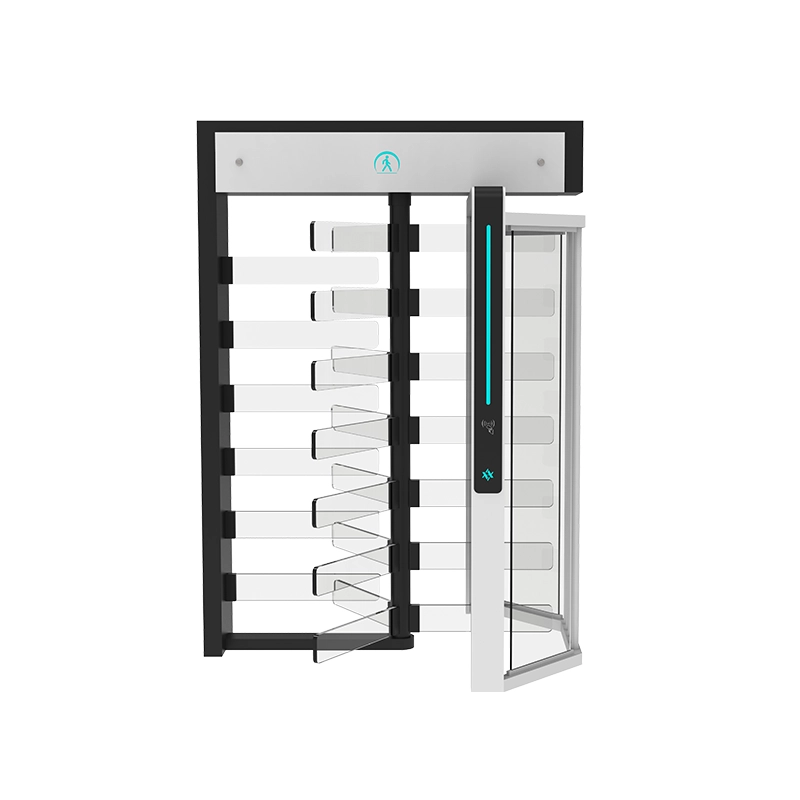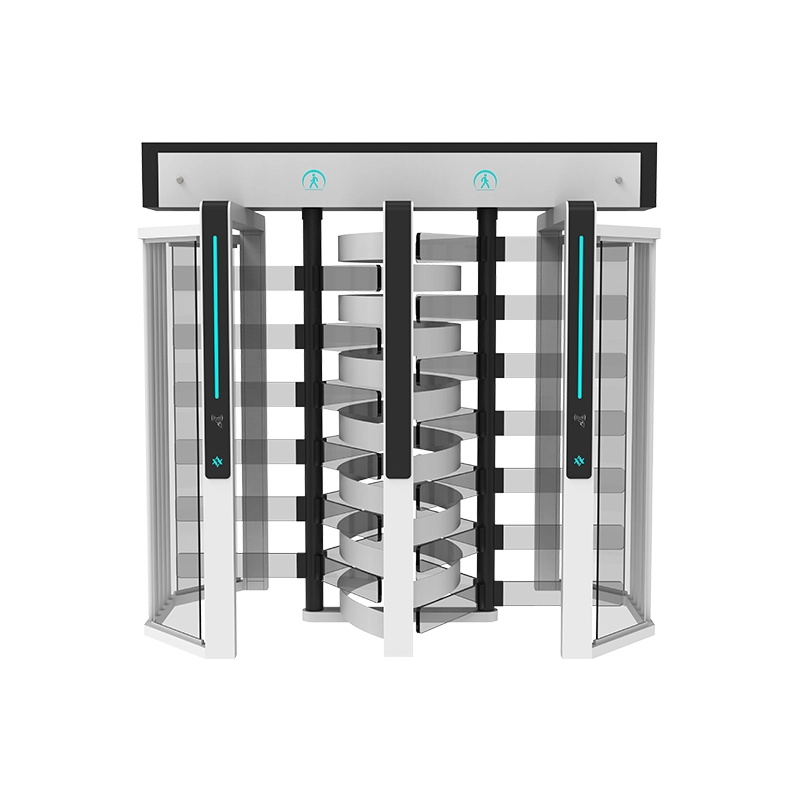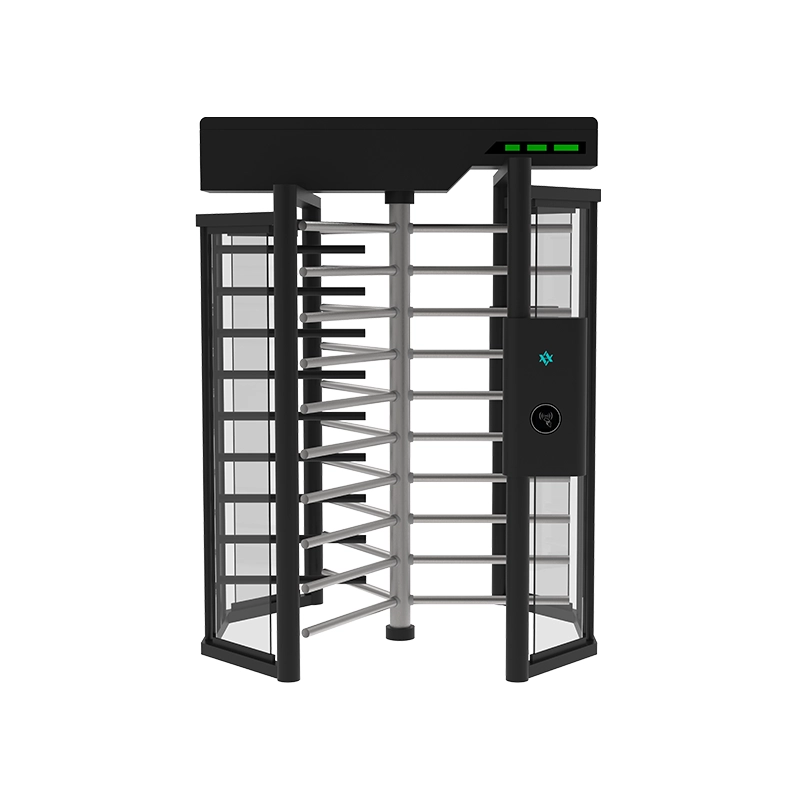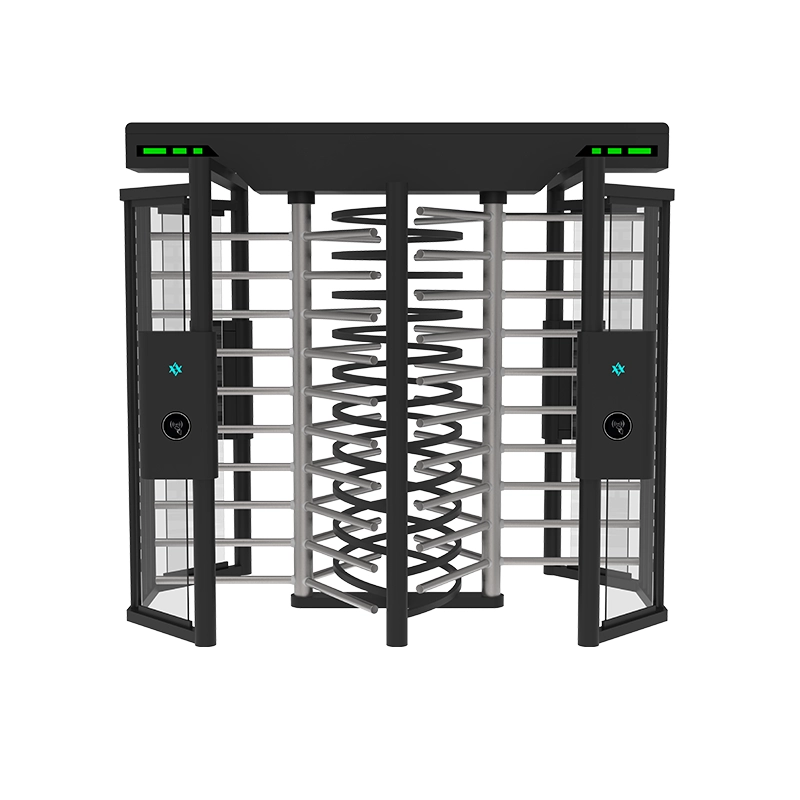

Speed gate access control is an integration project, not a product purchase. The gate is the actuator; the access control system makes the decision. Between them sit a few electrical interfaces — dry contact, Wiegand, RS-485 — and that is where most project failures happen. A well-specified gate still fails commissioning if the reader sits too close to a steel cabinet or one 12 V rail feeds both motors and readers.
This guide covers credentials, wiring, entry modes, fire tie-ins and lane counts. For mechanical fundamentals first, read the working principle and types of turnstiles overview.
How a Speed Gate Fits Into an Access Control Stack
Four layers. Each has one job, each can come from a different vendor, and knowing which layer owns which decision tells you who to call when something breaks.
The credential reader
The reader converts a token into a data string and decides nothing. A prox reader, a MIFARE reader, a QR imager, a face terminal and a BLE/NFC reader all output an identifier plus a format code. What matters is the output format: a reader outputting Wiegand 26/34/37 drops onto any standard controller, while one that only talks to its own vendor’s software does not.
The access controller
The controller holds permissions and makes the allow/deny call — credential against user record, access level, time zone and entrance group — then asserts an output relay. It also receives lane state: passage complete, tailgate, forced entry, held open. Panel-per-lane is fault-isolated and easy to debug. Panel-per-array runs four to sixteen lanes from one multi-door controller: cheaper per lane, but one fault takes the whole bank offline. Size the panel for total reader load and supervised inputs — budget two outputs and two inputs per lane.
The speed gate I/O board
The lane board is separate from the access controller and owns motor commutation, barrier timing, sensor logic, direction indicators and anti-pinch. It is the only thing that should drive the motor: the access controller relay issues a logic command, and the lane board executes a motion profile.
Management software
The software holds people, groups, schedules and history — an access platform, visitor system, attendance tool or ticketing engine. Integration risk concentrates here, because several vendors often assume they own the timestamp. Decide early whether the controller or the gate generates the passage event; both will log one, and writing both into a report double-counts traffic. The usual split: controller owns identity events, gate owns passage events, joined by a synchronized clock.

Which electrical interface should you use?
| Interface | What it carries | Practical distance | Best used for | Watch out for |
|---|---|---|---|---|
| Dry contact (relay) | Open/closed or pulse; no identity data | ~300 m on 22 AWG, noise-limited | Open command, exit button, fire release, manual override | Bounce and induced noise cause phantom openings; use twisted pair and 200–500 ms debounce. |
| Wiegand | Credential bit string (26/34/37 bit) | 150 m max; design to 100 m | Card and fingerprint readers on a standard controller | One-way and insecure on the wire; long runs drop bits. |
| RS-485 | Two-way serial: credentials, config, status | 1,200 m at 9,600–19,200 bps | Face and QR terminals, lane status supervision | Needs termination, bias resistors, daisy-chain topology. |
| OSDP | Encrypted, supervised reader channel | 1,200 m on RS-485 | Projects with a specified security standard | Both ends must support it; Secure Channel adds a key exchange. |
| TCP/IP | Application events and APIs | Network-limited | Management software and VMS correlation | Never the lane control channel; keep a hardware input as authority. |
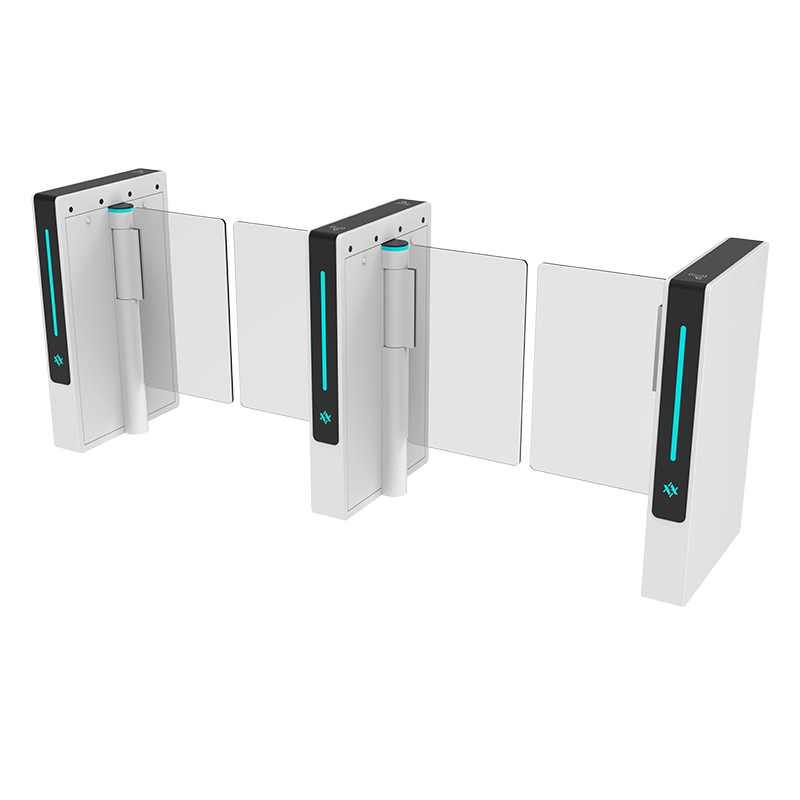
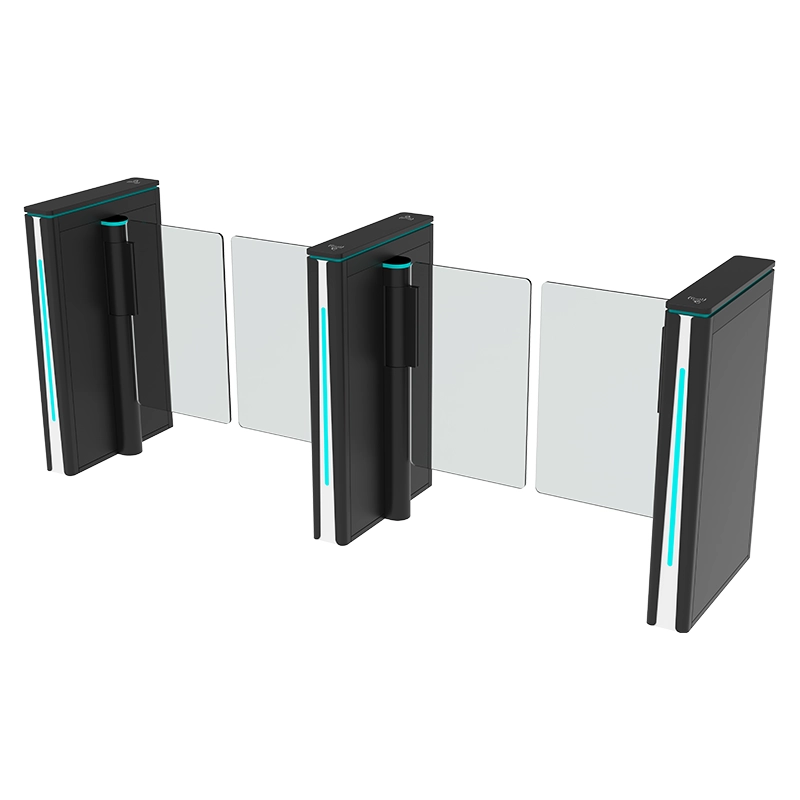
For most commercial projects: readers on Wiegand or OSDP into the access controller, a dry-contact relay into the lane’s open input, and RS-485 from the lane to the head end for status. That gives a hardware-authoritative opening path and a data-rich status path. AIPADA lanes expose these terminals per lane and can ship with cutouts, brackets and internal routing prepared for third-party readers — see the AIPADA access control speed gate range.
Credential Options Compared
Credential selection drives more of the user experience — and of the throughput math — than the barrier does. The servo barrier cycle is well under a second; the human is the slow element.
RFID card
The default for employees and members: short presentation time, inexpensive readers, wide controller support. Two risks matter — cloning on legacy 125 kHz technology, and a customer’s existing card format your reader cannot parse.
QR code
The right answer for temporary populations: visitors, contractors, event attendees, hotel guests, ticket holders. Codes can be single-use, time-boxed or bound to one entrance. Scanner position is the recurring problem — if the imager faces up the lane, users stop inside the passage to compose the scan, tripping sensor logic and slowing the array.
Face recognition
Touch-free, well accepted in employee entrances, and the strongest throughput once a population is enrolled. It is also the most geometry-sensitive: camera height, pitch, subject distance and IR illumination must match the manufacturer’s envelope. Backlight from a glass facade is the most common complaint, and it is a mounting problem, not a software problem.
Fingerprint
Strong binding between credential and person, useful where cards are shared or lost. Throughput drops in cold climates, dusty industrial settings and with worn prints, so budget for a real retry rate and provide card fallback.
Mobile BLE / NFC
Smartphone credentials remove the card-issuing cycle and suit managed offices, residential towers and campuses. BLE improves hands-free passage but widens the read zone, risking cross-lane reads; NFC gives a tighter, deliberate tap. Verify the phone and OS matrix the customer uses, and confirm what the lane does when a phone has no network.
| Credential | Throughput per lane | Security | Cost | User experience |
|---|---|---|---|---|
| RFID card | 25–30/min | Low to medium | Low | Fast and familiar; requires carrying a card |
| QR code | 15–20/min | Medium | Low | No card needed, but users pause to scan |
| Face recognition | 20–30/min | High | Medium | Touch-free once enrolled; enrollment is the friction |
| Fingerprint | 12–18/min | High | Low to medium | Reliable for some users, retries for others |
| Mobile BLE / NFC | 20–30/min | Medium to high | Medium | Convenient; range issues in tight arrays |

Mixing credentials is normal — employees on cards or face, visitors on QR, contractors on time-restricted cards. The controller must apply explicit rules about which credential is valid at which entrance and schedule.
Entry Modes, Counting and Anti-Passback
Single direction
Simplest and fastest. The lane opens for one travel direction only; reverse travel is physically blocked and logged. Use them wherever entry and exit routes are genuinely separated, since removing the decision logic removes a class of ambiguous events.
Bi-directional
The lane accepts credentials from both sides and arbitrates through its sensor chain: whichever side is occupied first wins, and the opposite side locks out until the passage clears. The barrier must complete a full close-and-reset cycle before the next person from the other side passes, so budget 15–25% less effective throughput than the same lane one-way.
Entry and exit counting
Every lane maintains directional passage counters in the lane board, independent of the access controller. These are the most reliable occupancy data on site because physical sensors generate them, not credential reads. Read them over RS-485 for occupancy dashboards and evacuation pre-planning.
Anti-passback
Anti-passback stops a credential being presented twice in the same direction without an intervening exit, which requires a per-user state machine in the controller and knowledge of which readers sit on which side of the boundary. Three modes are common: hard (second entry denied — strongest control, most helpdesk calls), soft (allowed but flagged for review) and timed (rule resets after an interval, for sites with unmonitored exits).
The classic failure is a mismatch between the software zone and the physical layout. If a three-lane array is defined as one zone, a user who enters lane 1 and exits lane 3 is still “inside” as far as the controller is concerned. Define zones to match the physical boundary, then test passback with a real card in both directions.
Fire Alarm and Emergency Egress Integration
This is a mandatory compliance point, not an option, and the most commonly botched interface in the project: a speed gate must not obstruct egress.
How the fire signal reaches the gate
The fire alarm control panel provides a supervised normally-closed relay that opens on alarm. Wire that contact into a dedicated emergency-release input on the lane board — not to the access controller’s door relay, and not through software. The release path must be hardware so it works when the network is down and the controller is offline.
Fail-safe versus fail-locked
Fail-safe means loss of power leaves the lane open; fail-locked means it stays closed. On designated egress routes, lanes must normally be fail-safe or mechanically releasable by a single action — panic bar, break-glass or keyless lever clutch. Confirm the requirement with the authority having jurisdiction and record it on the drawing, because it determines the motor brake configuration at the factory. Verify these conditions:
- Fire alarm active: barriers release open and stay open until manual reset.
- Mains power loss: fail-safe lanes open; fail-locked lanes stay closed with manual release within reach.
- Network or controller offline: the lane keeps its last configured egress mode; no lane ever blocks egress.
Release should be array-wide, not per-lane, so nobody has to guess which lane is open. After any fire test, lanes must be manually reset and re-homed — add that step to the routine test procedure.
Typical Wiring and I/O Schedule
Hand this schedule to the gate supplier and expect it back confirmed per lane. It forces both sides to name every conductor before cabinets are built.
| Signal | Direction | Type | Terminal | Notes |
|---|---|---|---|---|
| Open entry lane | Controller → lane | Dry contact, pulsed | OPEN-IN | 200–500 ms pulse; use lane-board debounce, not a software pulse. |
| Open exit lane | Controller → lane | Dry contact, pulsed | OPEN-OUT | Separate terminal; never parallel the two relays. |
| Fire / emergency release | FACP → lane | Supervised, normally closed | FIRE | Hardware path only; confirm end-of-line supervision with the fire contractor. |
| Passage completed | Lane → controller | Dry contact, momentary | PASS | Marks a valid passage; closes the anti-passback loop. |
| Tailgate / intrusion | Lane → controller or panel | Dry contact, latching | ALARM | Latch until reset so events are not missed. |
| Forced entry | Lane → controller | Dry contact | FORCE | Generated when the barrier moves without authorization. |
| Lane status | Lane ↔ head end | RS-485 | A/B/GND | Daisy-chain only, 120 Ω at both ends, unique address per lane. |
| Reader data | Reader → controller | Wiegand or OSDP | D0/D1 or A/B | Keep Wiegand under 100 m; do not bundle with motor cable. |
| Lane power | Supply → lane | 24 VDC or 220 VAC | PWR | Feed motors and readers from separate rails or breakers. |
| Earth reference | All devices | PE / GND | PE | Single-point star ground at the panel; avoid loops between lanes. |
Two cabling rules prevent most intermittent faults. Keep signal cable — Wiegand, RS-485, sensors — in a separate conduit from motor and mains cable, with at least 150 mm separation where runs are parallel. And pull at least two spare conductors per lane: a later change of mind about a status output is cheaper to accommodate before the floor is closed up.
VMS and CCTV Integration for Tailgating Events
Tailgating detection is only useful if someone can review it. The gate knows a passage was abnormal, the camera knows what it looked like, and the controller knows which credential was presented. The pattern that works is event-driven: the lane board asserts its tailgate output, the controller records credential, reader, lane and timestamp, middleware pushes the event to the VMS, and the VMS bookmarks a clip from the nearest camera with 10 seconds of pre-roll.
Three requirements make this work. Clock synchronization: if controller and VMS disagree by more than a second or two, bookmark searches land on the wrong footage — run NTP on both. Camera placement: look down the lane from the far side so both the presenter and the follower are in frame; a camera behind the presenter proves nothing. Event volume: tune the tailgate threshold against real traffic before go-live and route routine events to a database rather than an alarm queue.

Capacity Planning: Throughput Math
Lane count is arithmetic, and getting it wrong is expensive in both directions. Too few lanes creates the queue the gate was bought to prevent; too many wastes floor space and budget.
Step 1 — Seconds per person per lane
The servo barrier cycle is roughly 0.5–1.0 seconds, but that is not the constraint. The constraint is the total time for one person to approach, present, be verified, pass and clear the sensor zone. Figures that hold up in practice: RFID card 2.0–2.4 s; face recognition, enrolled and well lit, 2.0–3.0 s; mobile NFC tap 2.0–2.5 s; QR scan 3.0–4.0 s; fingerprint with retries 3.5–5.0 s. Divide 60 by the figure for persons per minute per lane.
Step 2 — Derate for reality
Published throughput assumes ideal conditions. Derate for bags and laptops (−10% to −15%), mixed visitor and staff populations needing assistance (−15% to −20%), bi-directional operation with frequent reversal (−15% to −25%), and uncontrolled backlighting on face recognition (−20% to −30%).
Step 3 — Worked example
The design case is the busiest interval, not the daily average. Take an office campus with 3,000 badge holders whose morning peak runs 08:00–09:00. Field data suggests 70% of arrivals — 2,100 people — enter in the 30-minute band from 08:20 to 08:50, and the busiest 10 minutes inside it carry 40% of that total.
- Busiest 10-minute volume: 2,100 × 0.40 = 840 people.
- Required array throughput: 840 ÷ 10 = 84 persons per minute.
- Credential is a 13.56 MHz card plus mobile NFC; derated lane capacity 20/min.
- Lanes required: 84 ÷ 20 = 4.2, rounded up to 5 standard lanes.
- One wide accessible lane at the main entrance → 6 lanes total.
- Cabinets for a 6-lane array: 6 + 1 = 7 cabinets.
Now check egress, which often governs. If the same 3,000 people leave in a 20-minute window, required exit throughput is 150 per minute. At a derated 25/min for exit-only lanes — faster, because there is no direction arbitration — that is 6 lanes. The array is adequate only if all lanes can run exit during the evening peak.
Place the accessible lane at one end of the array beside the widest circulation path, and confirm its clear width against the applicable accessibility standard. If budget pressure drives lane count down, change the credential rather than delete a lane: moving staff from QR scans to face recognition can recover 5 to 10 persons per minute per lane, worth roughly one cabinet here. Configuration costs are covered in the speed gate price guide.
Common Integration Failures and Fixes
Signal bounce and phantom openings
Lanes open with no credential, or open twice from one read. The cause is a mechanical relay chattering on make, induced noise on a long unshielded run, or a controller pulsing without debounce. Use shielded twisted pair grounded at one end, enable 200–500 ms debounce on the lane board, and separate motor cable from signal cable — that last step alone resolves a large share of these reports. The same discipline applies to long Wiegand runs, where leading bits are lost before the controller samples the trailing parity: keep them under 100 m and move to OSDP beyond that.
Lane misalignment and phantom alarms
Tailgate or obstruction alarms fire with nobody in the lane, or the barrier closes on a pedestrian mid-passage. Sensor pairs are unaligned after floor works, cabinets have settled, or the teach sequence was never re-run after final anchoring. Re-anchor the cabinets to spec, re-align every beam, re-run the teach sequence and walk-test both directions. Confirm the floor is level within the lane board’s tolerance — a 10 mm step across a lane causes recurring anomalies.
Reader placement and read-zone conflicts
Cards read inconsistently, users touch the reader to the cabinet, or a credential in lane 2 opens lane 3. The reader is too close to metal, which detunes the antenna, or a long-range BLE zone overlaps the adjacent lane. Follow the manufacturer’s clearance envelope — commonly 100–150 mm from metal, more for 125 kHz — add a non-metallic spacer where required, angle the reader toward the approaching user, and cut BLE transmit power or switch to NFC where lanes are close together. Test with the real credential population.
Power and grounding problems
Readers reboot when a barrier moves, or lanes behave differently at different times of day. One rail is feeding motors and readers and sagging on every motor start, or a ground loop exists between lanes. Separate the motor supply from the controller and reader supply, install a single-point star ground at the panel, and measure voltage at the reader terminals under load.
Controller logic that does not match the physical lane
The lane works manually but refuses card access, or anti-passback blocks legitimate users. The zone model does not reflect how lanes are grouped, or the reader is mapped to the wrong door object. Draw the logical zone map and the physical lane map on one page and reconcile them before go-live, then test valid entry, valid exit, entry without exit, and exit without entry.
Fire tie-in wired to the wrong relay
During a fire test the lanes stay closed, or they release when the alarm is silenced rather than when it activates, because the release input came from a non-supervised panel output or was wired through the access controller. Take a dedicated supervised normally-closed relay from the panel straight to the lane board, verify the state transition with the fire contractor present, and record it in the commissioning file. This is a compliance failure, so test it first rather than last.
If the system is already installed and showing persistent faults, work through the order above before replacing parts — sensor misalignment and grounding account for most reported failures on flap barrier turnstile lanes and integration diagnostics, and neither requires new hardware.
Frequently Asked Questions
Can an existing access controller operate a new AIPADA speed gate?
Usually yes, if the interfaces match. The controller needs a dry-contact output for the open command and, ideally, a spare input for passage confirmation. Send us the controller make and model, reader model, output type and required alarm feedback before production, and we prepare cutouts, brackets and terminal arrangement accordingly. If the controller speaks only to its own reader bus, the reader stays with the controller.
Should the fire release go through the access controller or directly to the gate?
Directly to the gate, as a hardware input on the lane board fed by a supervised normally-closed relay from the fire panel. Routing it through the access controller adds a failure point that disappears exactly when it matters most. The controller may log the release, but it must not be in the release path.
What is a realistic throughput figure for one speed gate lane?
Plan for 20–30 persons per minute for card, NFC or face credentials and 15–20 for QR codes in a derated single-direction configuration, and assume 15–25% less if the lane runs bi-directional. Reduce further for heavy baggage or uncontrolled lighting. If a supplier quotes 40 or 50 per minute, ask what credential and what conditions that assumes.
Can a speed gate array count people in and out for occupancy reporting?
Yes. Each lane maintains independent directional counters in the lane board, driven by the sensor chain rather than credential reads, so counts stay reliable even through a held-open lane. Read the counters over RS-485 and aggregate at the head end. A bi-directional lane’s counters cover both directions, so aggregate per lane where directional accuracy matters.
What is the lead time, and how long does integration take?
Production is 7–15 days from confirmed drawings and deposit. With reader models, dimensions and fire release requirements confirmed before production, commissioning is typically one to two days per array. If the reader is chosen after the cabinets are built, expect re-bracketing and a second site visit.
Specify the Whole Stack, Not Just the Barrier
Speed gate access control succeeds or fails on interfaces. Agree the interface schedule before production, keep the fire release on hardware, size lanes from a derated peak-hour calculation, and test anti-passback and tailgating logic with real traffic before handover.
AIPADA manufactures speed gates and flap barrier lanes built for this kind of integration project. Founded in 2014 and operating from a 3,000 m² factory in Dongguan with 80 staff and a monthly capacity of 3,000 units, we supply CE-certified product (certificate ZR0119400918C) with a CMA and CNAS test report (UCT1648D35), backed by one design patent and four software copyrights. We ship MOQ 1 unit with a 7–15 day lead time on 30% T/T deposit, provide a two-year warranty with lifetime technical support, and export to Europe, the Middle East, Southeast Asia and South America. Our engineering team prepares cabinet cutouts and internal cable routing for third-party readers on request.
Compare configurations in our speed gate turnstile models, or send your entrance dimensions, peak-hour figures, credential plan and existing controller details to our engineering team for a configuration and quotation.